Your DESIGN.md
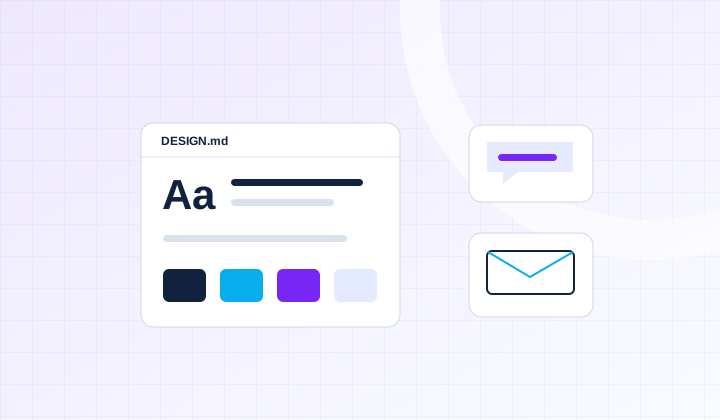
A concise brand brief with your audience, offer, positioning, message pillars, and approved proof points, plus a DESIGN.md with visual tokens and design rationale.
 Ship AIAccount
For Founders, Marketers & Independent Builders
Make your website, emails, and AI drafts feel like the same business.
Build and test a brand kit for your own business: clear positioning, visual rules in DESIGN.md, a reusable brand voice skill, and email templates. Apply it to a website section and compare the results before and after.
 Ship AIWorkshopsDesign → Voice → Consistency
What You’ll Build
A concise brand brief with your audience, offer, positioning, message pillars, and approved proof points, plus a DESIGN.md with visual tokens and design rationale.
A reusable brand voice skill with examples, preferred terms, tone guidance for different situations, and checks for off-brand copy and unsupported claims.
Four draft email templates—welcome, outreach, follow-up, and customer response—with subject lines, calls to action, and guidance for adapting them.
A sample website section and social bio created from the kit, reviewed against a brand checklist with before-and-after examples.
Hands-On Curriculum
Work through each stage on your own project, with guidance as you go.
Audit one current page and email for inconsistencies. Define your audience, offer, positioning, and three message pillars. Gather approved proof points and label assumptions that still need your decision.
Choose a focused visual direction for one website section. Create DESIGN.md with machine-readable colors, typography, spacing, and component tokens, plus written rationale and examples. Check readability and contrast.
Use your approved examples to define voice attributes, preferred language, and tone for welcome messages, sales follow-ups, and unhappy customers. Package instructions as a skill with inputs, examples, and a review checklist.
Build four adaptable drafts: welcome, outreach, follow-up, and customer response. Refine subject lines, opening sentences, and calls to action. Keep factual claims grounded in the brand brief and review the copy before sending.
Load the kit into your preferred supported tool and apply it to one website section and a social bio. Check that the visuals and wording reflect the same audience, offer, and personality.
Run the same website and writing briefs with and without your kit. Review consistency, clarity, tone, accessibility, and claims; revise the files and save an update and handoff checklist.
Your Take-Home Kit
Fill these blueprints with your own brand, then use them in a supported tool and review the results.
Come Ready To Build
Founders, marketers, agencies, and independent builders who want their website and AI-generated content to feel consistent and recognizable.
Bring a laptop, your offer and audience, and a few examples of writing and visuals you like. An existing website, logo, and brand materials are helpful but optional. Bring your preferred AI assistant or coding tool; light vibe coding experience is ideal for the website exercise.
Included With Your Ticket
Codebases preloaded with skills and best practices, designed to eliminate 80% of the friction.
Hands-on expert guidance and feedback on your own project.
Recordings, blueprints, slides, templates, prompts, checklists, and code emailed after the workshop.
FAQ
No. Bring a clear offer and audience, plus a few references you like. We can establish a starter direction. If you already have guidelines, we’ll organize and apply them; this is not a full logo redesign.
Build Your Brand focuses on the reusable visual and writing guidance that your tools and teammates use. The GTM workshop focuses on applying positioning and design while building a marketing site and setting up social pages.
No. We’ll explicitly load or reference the files in a supported tool and test the result. Skill formats, context limits, and file support vary. You’ll also have a prompt-based fallback and a human review checklist.
This is a hands-on workshop capped at 16 attendees. The date, daily schedule, and venue will be announced before paid registration opens. Join the free waitlist to receive the details.
Bring your preferred AI assistant and, for the website exercise, an AI coding or design tool. DESIGN.md documents visual rules; the brand voice skill supplies writing guidance. Skill formats and document support vary by tool, so we’ll show a reusable file structure and a prompt-based fallback. Google Stitch is an optional example, not a required subscription.
AI subscriptions, design tools, fonts, stock assets, hosting, and API usage are separate from admission. Use assets you have permission to use. The workshop produces a practical brand kit and draft examples; a full logo redesign or complete website build is outside its scope.
No. Waitlist signup is free. We’ll email you when the schedule and paid registration are ready, so you can decide whether to book. No payment is collected now.
Once paid registration opens, tickets will be refundable until the day of the event. If the event is cancelled, you will receive a full refund. Email hi@shipai.club with questions.
Something else on your mind? Ask us.
Your Workshop Pathway
Clarify your brand, build your public presence, give visitors useful value, and turn interested prospects into sales conversations.
Find your starting point with the AI assessment →
A suggested route, not a required bundle. Choose the workshops that fit your experience and project; each ticket is separate.
Your Next StepVibe Coding GTM Workshop
Get The Dates First
Tell us what you want to work on. We’ll email you when the schedule and registration details are confirmed.
Free to join. No payment or seat reservation yet.